Back-to-School Cybersecurity Tips for Small Businesses
It’s that time again! Back-to-school season comes with a wave of new business. However, it also comes with a rise in cybersecurity concerns.
Does your business have a plan for the security risks that come with fall's busy pace?
As students head back to classrooms across Ann Arbor, Ypsilanti, and Southeast Michigan, small business owners are resetting, too. New devices, updated software, and renewed online activity bring opportunities for your company to shine! Unfortunately, these opportunities can also create ways for new cybersecurity risks to break through the cracks.
This article outlines why the back-to-school season raises cyber risk for small businesses, what steps help close the gaps, and how working with a local IT Support Specialist in Ann Arbor can simplify the process.
Why Do Cybersecurity Risks Increase in the Fall?
Cybercriminals follow seasonal patterns closely.
- Phishing emails impersonating schools or "back-to-school deals" spike every fall.
- Employees connecting personal or family devices to a business network open new vulnerabilities.
- Systems that sat untouched over a slower summer often carry outdated software and unpatched firmware.
For small businesses with limited in-house IT resources, a single breach can mean costly downtime, lost data, or reputational damage that takes months to recover from.
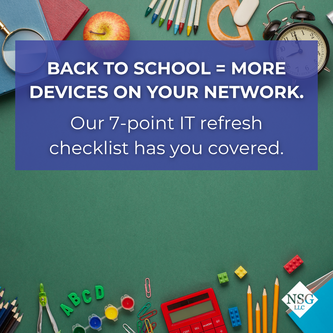
The Fall “IT Refresh” Checklist
- A handful of proactive steps can protect your devices and information:
- Update all computers, laptops, phones, and tablets (enable automatic updates when able)
- Require multi-factor authentication (MFA) across email, banking, and other online accounts.
- Scan and secure any new or returning devices before connecting them to the network.
- Refresh spam and phishing filters on business email.
- Test backups against the 3-2-1 rule: 3 copies, 2 media types, 1 offsite.
- Remind staff about phishing red flags, safe Wi-Fi habits, and password hygiene.
A major overhaul isn’t typically required for improving your cybersecurity! Completing these minor steps is what keeps your business safe and cybercriminals in check. Actively skipping updates and proactive maintenance is what turns a seemingly minor issue into a security breach.
Local Support at Your Fingertips
Coordinating updates, security training, hardware checks, and backup testing across multiple vendors takes time that many small business owners don’t have during busy season.
Finding the right IT Support Specialist in Ann Arbor ensures that every piece of your system is managed under one roof and in the right hands. From patching, endpoint protection, email security, and backup verification, nothing goes unchecked.
Additional benefits of local support:
- Faster on-site response when remote fixes aren't enough
- A team that understands your network environment, rather than starting from scratch with each call
- Consistent planning that carries forward, not just a one-time seasonal fix
Building Toward a Stronger Fall
Businesses that handle security reactively today may benefit from a more proactive setup as they continue to grow. Add patch management, layered email protection, tested backups, and ongoing monitoring to your IT checklist this fall for stronger cybersecurity and better peace of mind.
Since 2001, businesses throughout Southeast Michigan have partnered with our IT Support Specialist in Ann Arbor for their seasonal technology resets.
Call 877-815-6974 or submit a contact form to schedule a back-to-school technology assessment.